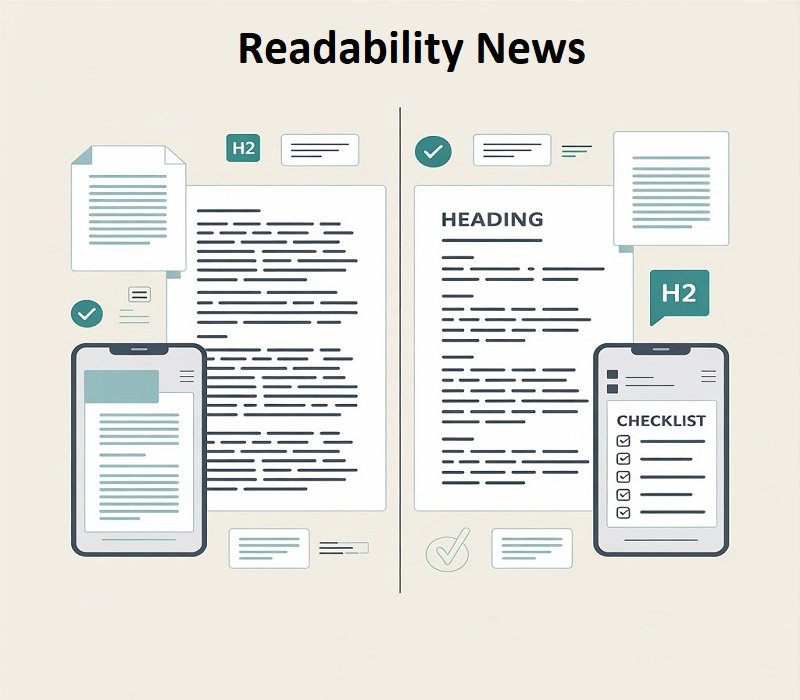
Most people don’t read blogs word by word. They scan. They skip. They bounce back to a line only if something feels confusing.
That’s why readability matters. Not because you want “perfect writing,” but because you want people to understand you on the first try.
This Readability News guide is a simple, always-useful Readability checklist. It works for blogs, emails, school notes, business pages, policies, captions, and instructions. Anywhere text shows up, clarity wins. Let’s start.
What “Readability News” means
“Readability News” sounds like a trend term, but the idea is very practical: what’s working right now to make writing easier to understand.
It’s also a reminder that readers have changed. People read on phones. They read while tired. They read while doing other things. When your text is clean, they stay with you.
And yes, tools and scores are part of the conversation now. But the heart of readability is still human: simple words, short sentences, clear structure, and a message that doesn’t make the reader work too hard. If you want a simple set of rules to follow, keep your own Plain language guide close while editing.
The 10 small changes that make text clearer fast
You don’t need to apply all 10 in one sitting. You can start with the first three. They give the fastest improvement.
Then come back later and tighten the rest. That’s how most good writing is made anyway.
1) Shorten long sentences
Long sentences often hide the point. They can be correct and still feel hard to read.
If you catch yourself stacking ideas with “and,” “which,” or “because,” pause. Ask: can this be two sentences instead of one?
Here’s a quick example:
Before: “If you would like a refund, you must complete the form and submit it within 14 days of purchase, otherwise your request may not be accepted.”
After: “Want a refund? Submit the form within 14 days. After 14 days, we may not accept requests.”
2) Use simpler words (swap jargon)
Some words look professional but don’t help the reader. They add distance.
Small swaps can change the whole tone:
“use” instead of “utilize”
“help” instead of “assistance”
“before” instead of “prior to”
“enough” instead of “sufficient”
If your topic needs technical terms, keep them. Just explain them once in plain language. After that, your reader relaxes because they know what you mean.
3) Cut filler words
Filler words sneak in when we write fast. They don’t always ruin a sentence, but they often make it slower. Look for words like: really, very, basically, actually, just, in order to.
You don’t need to delete every single one. A few can sound natural. But if a paragraph is full of filler, it starts to feel weak. A quick edit pass works well: search for “very” and “really.” Remove most of them. Keep only the ones that truly add meaning.
4) Keep paragraphs short
A huge paragraph can be great in a book. On a screen, it’s usually a wall. Short paragraphs feel easy. They also let the reader breathe. That matters more than people think.
If you’re writing online, aim for one idea per paragraph. When the idea changes, break the paragraph even if the sentence could technically continue. You’ll see an instant improvement in how “light” the page feels.
5) Add headings that actually help
Headings aren’t decoration. They are guidance.
Good headings make readers feel safe. They know where they are. They know what’s next. They can jump to what they need.
Vague headings like “Overview” or “Details” don’t do much. Clear ones do:
“What you’ll learn”
“What to do next”
“How long it takes”
“Common mistakes”
If you want extra SEO benefit, question-style headings work well too, because they match how people search.
6) Use bullets only when they make reading easier
Bullets are great when you have a list the reader must notice. They are also easy to overuse. Too many bullets can make your page feel choppy or lazy.
Here’s a good rule: if you have three or more items, bullets help. If you have one or two, a normal sentence usually reads better.
7) Put the main idea first
A lot of writing fails because it warms up too long. The reader wants the point now.
Start the paragraph with the message. Then explain. This is especially important for introductions, instructions, announcements, and emails. If you write messages often, your How to write clearer emails page can be a great companion to this tip.
If someone reads only your first sentence, they should still understand the “what” of the paragraph. Everything after that is support.
8) Prefer active voice (most of the time)
Active voice is clearer because it shows who does what.
Passive voice can sound formal, but it often hides the subject. That’s why it feels confusing in policies and instructions.
Compare these:
Passive: “The form must be completed before access is granted.”
Active: “Complete the form to get access.”
You don’t need to ban passive voice. Just don’t let it take over. Use active voice when clarity matters.
9) Turn instructions into steps
If you want people to do something, make it easy to follow. Instructions inside a paragraph get missed. Steps get followed. Numbered steps feel smaller. They also reduce mistakes because each action is clear.
Example:
Open the link.
Fill in your details.
Upload your file.
Click Submit.
If your steps still cause questions, you’re usually missing one thing: time, location, tool, or example. Add that detail and you’re done.
10) Do a quick “reader check” before you hit publish
This one sounds simple, but it’s the real secret.
Ask:
What is the point?
What should the reader do next?
Which words might confuse someone?
If you can’t answer quickly, your reader won’t either.
If possible, have one person read it once. Not five people. One person is enough. If they misunderstand the main point, you found exactly what to fix.
Best readability tools (so you can edit faster)
Tools won’t write for you, but they will speed up editing. Pick one or two and stick with them. If you want deeper comparisons, link this section to your Best writing tools page.
Hemingway Editor is great for spotting long, heavy sentences and places where your writing feels hard to read.
Grammarly is strong for clarity, grammar, and tone suggestions.
ProWritingAid is useful for deeper reports and long-form editing, including readability and style checks.
Readable.com is focused on readability tests and scoring, helpful when you want grade-level estimates.
Use tools like a flashlight. They show you the messy corners. You still decide how to clean.
Readability scores (useful, but not the boss)
Readability scores estimate difficulty, often based on sentence length and word complexity.
Common ones include Flesch Reading Ease, Flesch–Kincaid Grade Level, and Gunning Fog.
Scores can help you spot trouble areas. But they can’t measure everything. A text can score “easy” and still be confusing if the structure is messy or the instructions are unclear.
If your score looks too hard, don’t panic. Fix the basics first: shorten sentences, simplify words, and break big paragraphs. That usually improves both the score and the real reading experience. If you want a repeatable process, connect this section to your Editing workflow.
FAQ
What is readability?
Readability is how easy your text is to read and understand. If people get it in one pass, readability is good.
How do I improve readability fast?
Start with long sentences. Break them. Then simplify a few hard words. After that, shorten paragraphs and add headings. It can improve readability.
Do headings and formatting really matter?
Yes. Many readers scan before they read. Headings, spacing, and bullets help people find what they need quickly.
Which readability tool is best?
If you want simple and fast, try Hemingway Editor.
If you want everyday writing support, try Grammarly.
If you want deep analysis for long articles, try ProWritingAid.
If you want scoring and tests, try Readable.com.
Does readability help SEO?
Clear pages are easier to use. People stay longer. They understand faster. That improves user experience, which supports long-term SEO performance. If you cover SEO topics on your site, you can link this answer to SEO writing basics.
Conclusion
You don’t need perfect writing. You need writing that works. These 10 changes work because they remove friction. When reading feels easy, people trust you more. They finish the page. They take action.
If you only do three things today, do these: shorten long sentences, use simpler words, and break big paragraphs. You’ll feel the improvement immediately.
And that’s Readability News in action: small fixes that make your text clearer, faster, and easier to trust.
Disclaimer:
This article is for general educational purposes only. Readability tools and scores provide estimates, not guarantees, and results may vary by audience and context. Always review and test your content with real readers before making important decisions.
To improve your writing ease; visit our website “Readability News“